'/%3e%3c!--%20Outer%20viewfinder%20brackets%20-%20thick,%20rounded%20--%3e%3cg%20fill='none'%20stroke='url(%23bracket)'%20stroke-width='10'%20stroke-linecap='round'%20stroke-linejoin='round'%3e%3c!--%20Top-left%20--%3e%3cpath%20d='M30,70%20L30,38%20Q30,30%2038,30%20L70,30'/%3e%3c!--%20Top-right%20--%3e%3cpath%20d='M130,30%20L162,30%20Q170,30%20170,38%20L170,70'/%3e%3c!--%20Bottom-left%20--%3e%3cpath%20d='M30,130%20L30,162%20Q30,170%2038,170%20L70,170'/%3e%3c!--%20Bottom-right%20--%3e%3cpath%20d='M130,170%20L162,170%20Q170,170%20170,162%20L170,130'/%3e%3c/g%3e%3c!--%20Inner%20viewfinder%20brackets%20-%20slightly%20thinner%20--%3e%3cg%20fill='none'%20stroke='url(%23bracket)'%20stroke-width='7'%20stroke-linecap='round'%20stroke-linejoin='round'%20opacity='0.7'%3e%3c!--%20Top-left%20--%3e%3cpath%20d='M60,92%20L60,68%20Q60,60%2068,60%20L92,60'/%3e%3c!--%20Top-right%20--%3e%3cpath%20d='M108,60%20L132,60%20Q140,60%20140,68%20L140,92'/%3e%3c!--%20Bottom-left%20--%3e%3cpath%20d='M60,108%20L60,132%20Q60,140%2068,140%20L92,140'/%3e%3c!--%20Bottom-right%20--%3e%3cpath%20d='M108,140%20L132,140%20Q140,140%20140,132%20L140,108'/%3e%3c/g%3e%3c!--%20Center%20dot%20/%20focus%20point%20--%3e%3ccircle%20cx='100'%20cy='100'%20r='5'%20fill='url(%23bracket)'%20opacity='0.5'/%3e%3c/svg%3e)
Profile picture clues
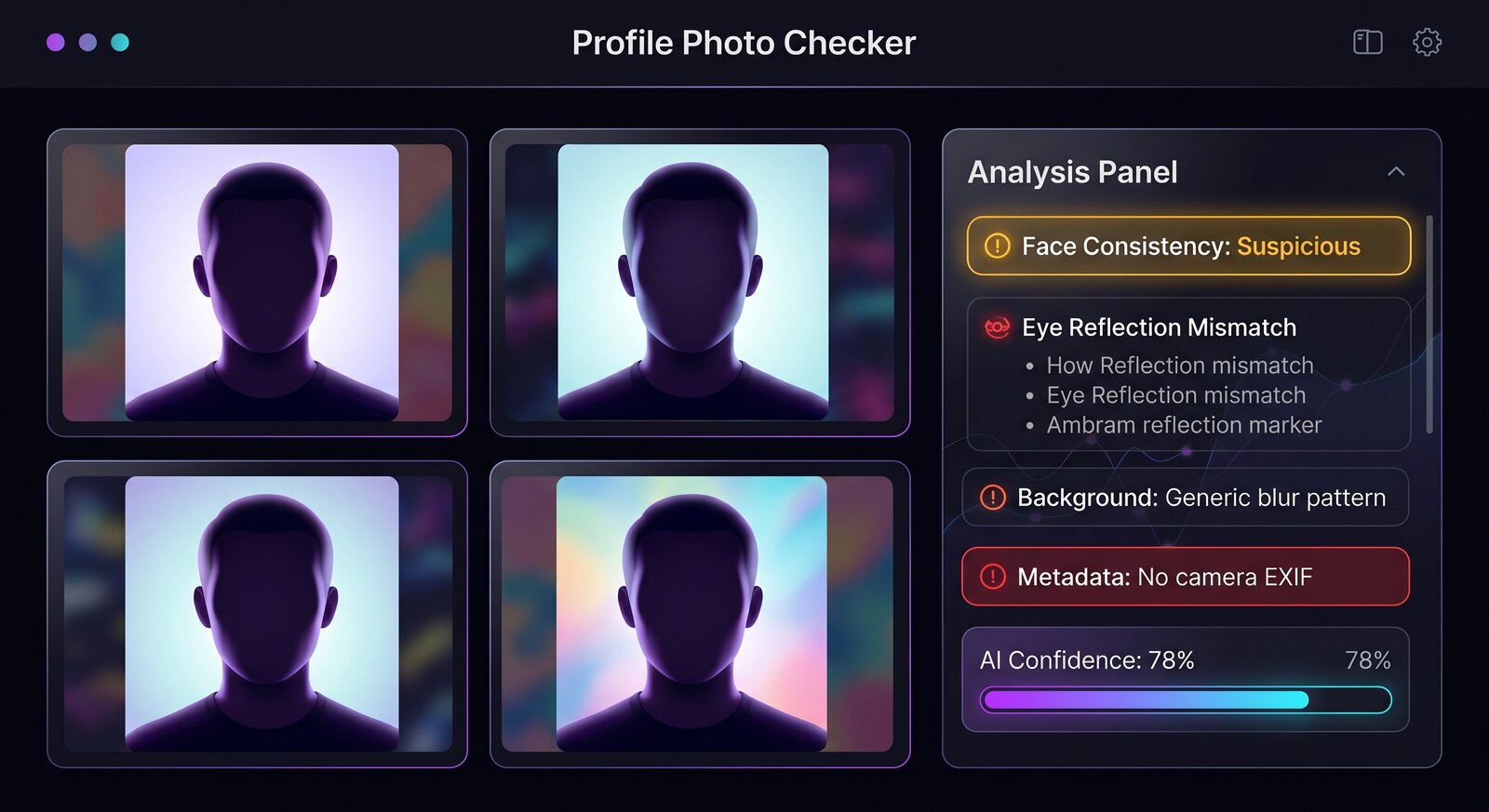
A profile image can look polished because AI generators are strong at centered portraits. Look past the face. Inspect hair strands, glasses, earrings, teeth, shirt collars, background people, and the transition between face and background. Generated accounts often use images that are sharp in the center but inconsistent around edges.
- Eyes may have mismatched reflections or slightly different gaze directions.
- Jewelry, ear shapes, teeth, and glasses can merge into impossible detail.
- Backgrounds may be soft, repeated, or disconnected from the subject lighting.
- Metadata is often missing because profile platforms recompress uploaded images.
Combine image checks with account checks
Img ID can flag image-level clues, but fake-account risk also depends on behavior. A suspicious scan matters more if the account is new, has little history, uses stolen bio text, pushes you to another app, or asks for money. A clean scan does not prove the person is real.
Best workflow
Save the largest profile photo available, run it through Img ID, read the explanation, then do a reverse image search and compare the profile with recent posts. If the image is low resolution, treat the result as a triage signal rather than a final answer.
When to slow down
Be more cautious when a profile has one polished photo, no tagged history, vague work details, reused captions, or a story that moves quickly toward money, credentials, private links, or off-platform messages. An AI-looking profile picture is not proof of fraud, but it is a reason to verify the account before replying with personal information.
For teams reviewing communities or marketplaces, use the scan as a lightweight moderation note: screenshot the source profile, record the Img ID result, and keep the original URL. That makes later review easier if the account changes its photo or deletes posts.