'/%3e%3c!--%20Outer%20viewfinder%20brackets%20-%20thick,%20rounded%20--%3e%3cg%20fill='none'%20stroke='url(%23bracket)'%20stroke-width='10'%20stroke-linecap='round'%20stroke-linejoin='round'%3e%3c!--%20Top-left%20--%3e%3cpath%20d='M30,70%20L30,38%20Q30,30%2038,30%20L70,30'/%3e%3c!--%20Top-right%20--%3e%3cpath%20d='M130,30%20L162,30%20Q170,30%20170,38%20L170,70'/%3e%3c!--%20Bottom-left%20--%3e%3cpath%20d='M30,130%20L30,162%20Q30,170%2038,170%20L70,170'/%3e%3c!--%20Bottom-right%20--%3e%3cpath%20d='M130,170%20L162,170%20Q170,170%20170,162%20L170,130'/%3e%3c/g%3e%3c!--%20Inner%20viewfinder%20brackets%20-%20slightly%20thinner%20--%3e%3cg%20fill='none'%20stroke='url(%23bracket)'%20stroke-width='7'%20stroke-linecap='round'%20stroke-linejoin='round'%20opacity='0.7'%3e%3c!--%20Top-left%20--%3e%3cpath%20d='M60,92%20L60,68%20Q60,60%2068,60%20L92,60'/%3e%3c!--%20Top-right%20--%3e%3cpath%20d='M108,60%20L132,60%20Q140,60%20140,68%20L140,92'/%3e%3c!--%20Bottom-left%20--%3e%3cpath%20d='M60,108%20L60,132%20Q60,140%2068,140%20L92,140'/%3e%3c!--%20Bottom-right%20--%3e%3cpath%20d='M108,140%20L132,140%20Q140,140%20140,132%20L140,108'/%3e%3c/g%3e%3c!--%20Center%20dot%20/%20focus%20point%20--%3e%3ccircle%20cx='100'%20cy='100'%20r='5'%20fill='url(%23bracket)'%20opacity='0.5'/%3e%3c/svg%3e)
What to inspect
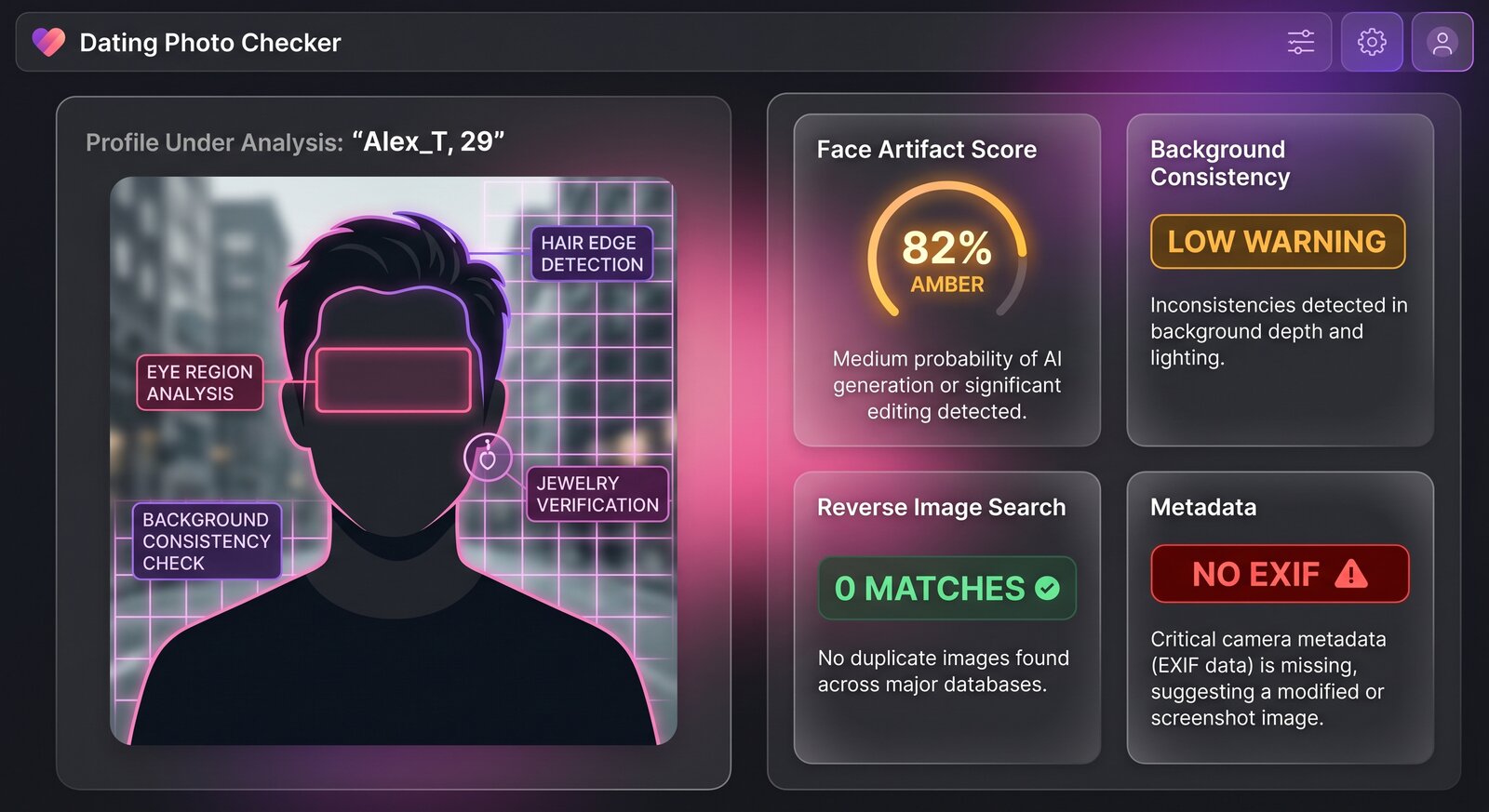
Dating photos are often compressed, cropped, and filtered, so no scan can prove identity. Still, generated images leave patterns: overly polished portraits, strange hands, fake background details, inconsistent jewelry, and skin texture that changes across the same face.
- Compare all profile photos: does the same person, age, and setting make sense?
- Zoom into fingers, glasses, earrings, hairlines, teeth, and background signage.
- Look for requests to move to another app, invest money, or verify identity through a link.
- Use reverse image search and ask for a real-time video call for high-risk situations.
Where Img ID fits
Img ID gives a second opinion on the image itself. The result can help you decide whether to ask for more context or slow down. If the verdict is uncertain, focus on behavior and source checks. Scammers can use real stolen photos too.
Privacy reminder
Avoid uploading intimate, private, or identifying images you do not have permission to analyze. Use Img ID for public profile photos and suspicious images where a quick safety check is useful.
How to use the result safely
If Img ID flags a photo as likely AI, avoid accusing the person. Instead, slow the conversation, ask for normal verification, and keep personal or financial details private. If the account pressures you, that behavior matters more than the image result.
If the scan says likely real, stay alert. Many fake dating profiles use stolen real photos. Use the scan alongside reverse image search, platform safety tools, a video call, and common-sense checks around money, travel emergencies, crypto, gift cards, and private links.