'/%3e%3c!--%20Outer%20viewfinder%20brackets%20-%20thick,%20rounded%20--%3e%3cg%20fill='none'%20stroke='url(%23bracket)'%20stroke-width='10'%20stroke-linecap='round'%20stroke-linejoin='round'%3e%3c!--%20Top-left%20--%3e%3cpath%20d='M30,70%20L30,38%20Q30,30%2038,30%20L70,30'/%3e%3c!--%20Top-right%20--%3e%3cpath%20d='M130,30%20L162,30%20Q170,30%20170,38%20L170,70'/%3e%3c!--%20Bottom-left%20--%3e%3cpath%20d='M30,130%20L30,162%20Q30,170%2038,170%20L70,170'/%3e%3c!--%20Bottom-right%20--%3e%3cpath%20d='M130,170%20L162,170%20Q170,170%20170,162%20L170,130'/%3e%3c/g%3e%3c!--%20Inner%20viewfinder%20brackets%20-%20slightly%20thinner%20--%3e%3cg%20fill='none'%20stroke='url(%23bracket)'%20stroke-width='7'%20stroke-linecap='round'%20stroke-linejoin='round'%20opacity='0.7'%3e%3c!--%20Top-left%20--%3e%3cpath%20d='M60,92%20L60,68%20Q60,60%2068,60%20L92,60'/%3e%3c!--%20Top-right%20--%3e%3cpath%20d='M108,60%20L132,60%20Q140,60%20140,68%20L140,92'/%3e%3c!--%20Bottom-left%20--%3e%3cpath%20d='M60,108%20L60,132%20Q60,140%2068,140%20L92,140'/%3e%3c!--%20Bottom-right%20--%3e%3cpath%20d='M108,140%20L132,140%20Q140,140%20140,132%20L140,108'/%3e%3c/g%3e%3c!--%20Center%20dot%20/%20focus%20point%20--%3e%3ccircle%20cx='100'%20cy='100'%20r='5'%20fill='url(%23bracket)'%20opacity='0.5'/%3e%3c/svg%3e)
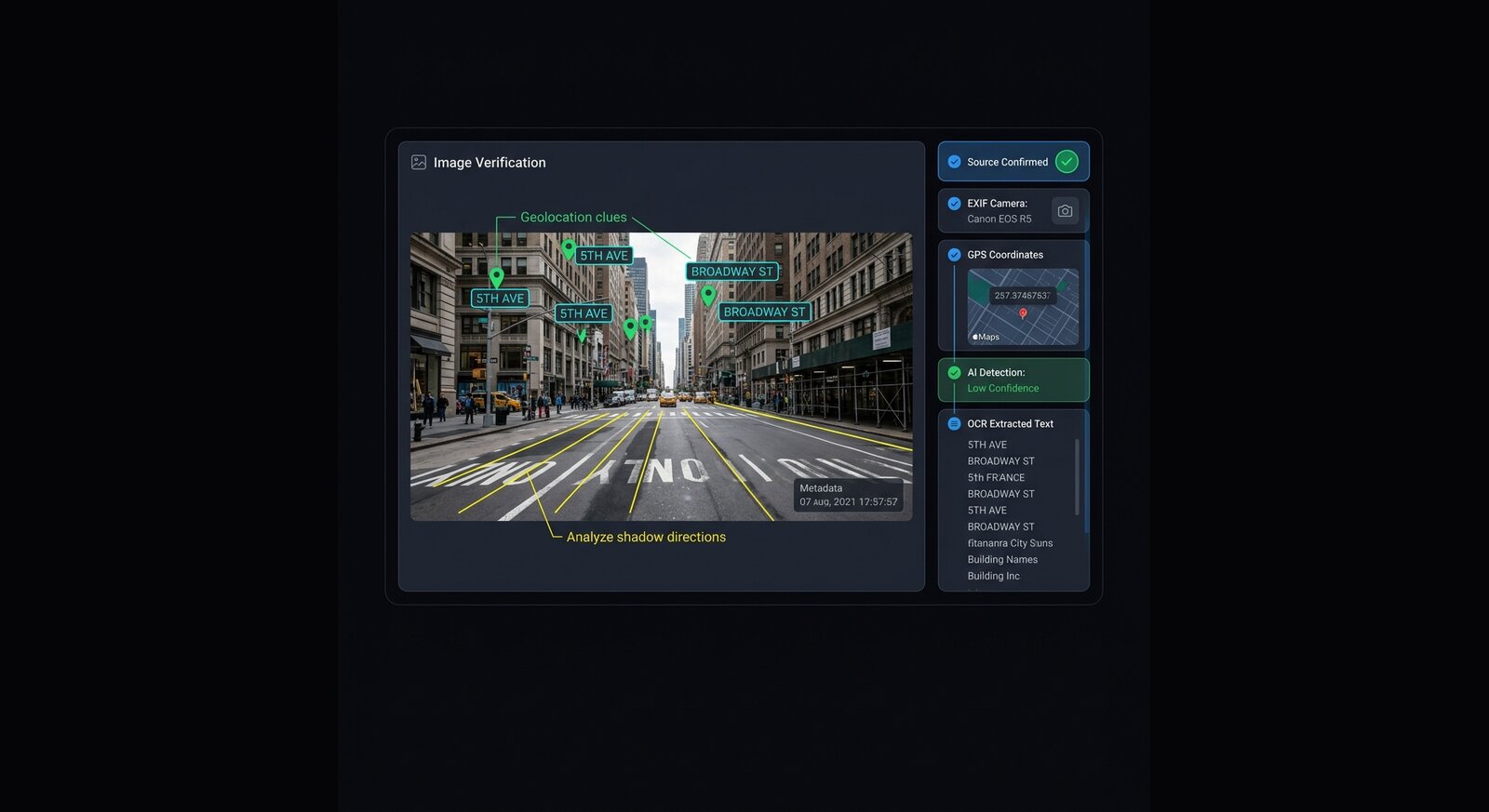
Where Img ID helps a verification desk
Img ID is not a replacement for sourcing. It is a first pass that can make follow-up faster. OCR can reveal signs, badges, license plates, watermarks, captions, and screenshots. Metadata can show camera or software clues. The AI verdict can flag visual patterns that deserve closer human review.
- Use OCR output to search names, signs, locations, and visible claims.
- Compare metadata with the alleged time, place, and publishing path.
- Inspect evidence lists for anatomy, lighting, reflection, and object inconsistencies.
- Preserve source URLs, timestamps, uploader claims, and original files separately.
Recommended verification chain
Start with the highest-resolution original. Run Img ID. Save the report URL for internal notes. Run reverse image search. Compare against trusted wire services, geolocation clues, weather, landmarks, and social account history. Contact the uploader or rights holder before publication.
Editorial caution
Avoid publishing a detector score as proof. Use language like "image-analysis tools flagged possible AI-generation artifacts" only when paired with visible evidence and source reporting. False positives can damage trust, especially with compressed or heavily edited real images.
How to document a triage result
Keep the original URL, uploader name, timestamp, downloaded file, Img ID share link, OCR output, metadata output, and notes on visible artifacts. If an image later changes or disappears, those notes preserve the review path without turning the detector score into the story.
A strong verification note should separate what is known, what is inferred, and what is still unverified. Img ID can help with the inference layer: visible text, camera clues, and AI-like artifacts. Sourcing, rights, location, and context still need human reporting.